Documentation
Getting Started with the CELUS Design Platform: Sign-Up and Login
Platform Workflow
📝Contents
New Users (First-Time Access)
Existing Users
Troubleshooting Access Issues
After Successful Login
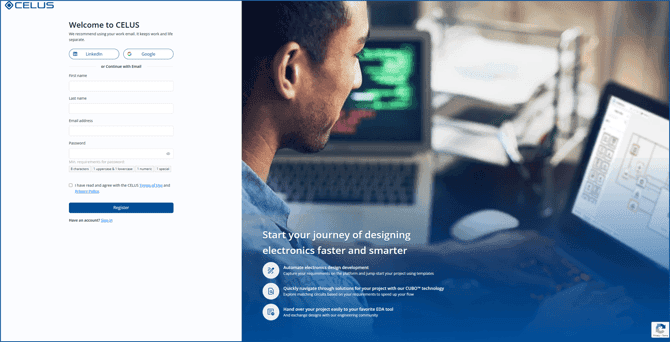
Sign up as a new user
To register and access the CELUS Design Platform:
Navigate to
Use Google credentials.
Use LinkedIn to sync your professional profile.
Or, click on Create one and provide:
Full name
Preferred email address
Create a secure password
Accept Terms and Conditions.
Click Register.
Confirm your email address (check inbox/spam folder if necessary).
Upon successful registration, you will be automatically redirected to the Design Studio Welcome Screen of the CELUS Design Platform.
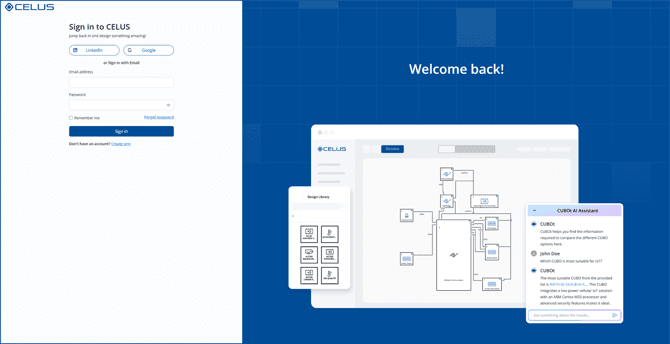
Log in to the CELUS Design Platform
To log in if you’ve already registered:
Visit https://app.celus.io/
Click Sign in with Google or Sign in with LinkedIn if previously linked.
Or enter your registered email and password under the standard login form.
Upon successful authentication, you will be directed to the Design Studio Welcome Screen.
If you encounter problems:
Use the Forgot Password? option on the login screen to reset your credentials.
For account-related support, contact support@celus.io.
You will arrive at the Design Studio Welcome Screen, where you can:
Select a Project from Featured Projects.
Create a Project with AI-based Design Assistant.
Start a Project from Template Recommedations or from Scratch.
Start using CELUS Design Platform and stay tuned for new updates