New in Platform
2025.11.05
November 2025
Design Studio
Stay in control of every change your CELUS Design Assistant makes. The new Revert button lets you instantly restore your canvas to any previous version.
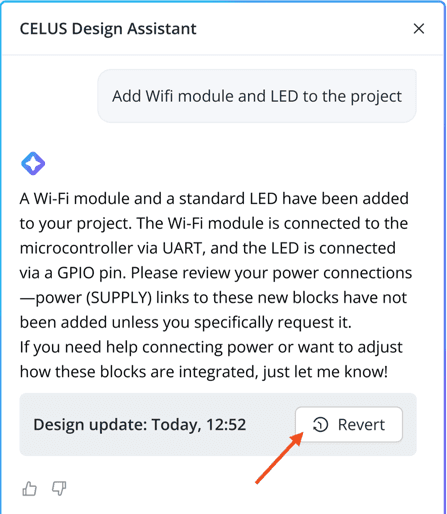
Revert button in Design Assistant
What’s new
If an incompatible combination of Functionality and Port is detected during the resolve process, the system now provides more descriptive error messages related to the interface.
The problematic interface is visually highlighted on the Canvas with a dotted line.
Clicking the error message automatically selects the affected interface.
The project still completes the resolve, excluding the problematic interface from the solution.
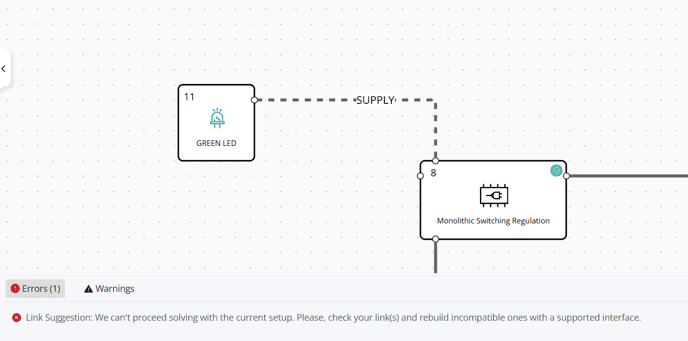
Enhanced error messages and visual highlighting of related interfaces